The Late-Night PDF Chase: Why Disorganized Class Notes Are Eating Up Your Free Time
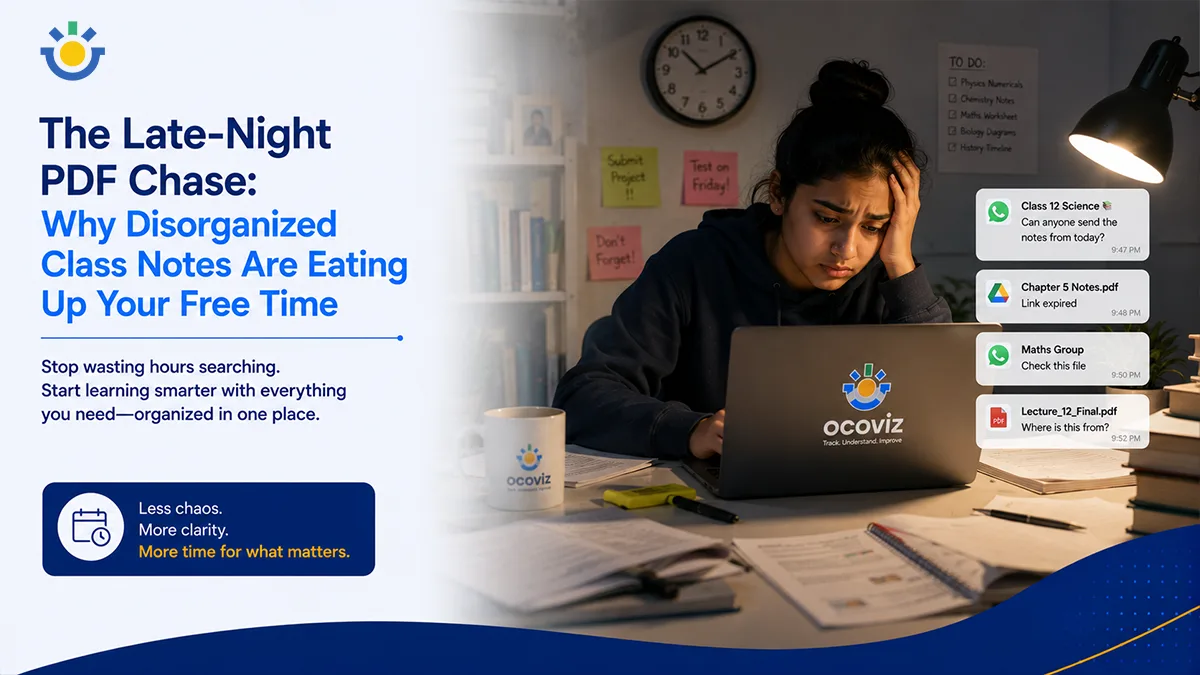
It is 9:30 PM. You have a chemistry mid-term tomorrow morning, and you finally sit down at your desk to revise chemical bonding. You open your textbook, but you realize your teacher said the exam would heavily feature the custom PowerPoint presentation they showed in class on Thursday.
The chase begins.
First, you open WhatsApp and scroll past 150 messages of casual banter in the class group chat. Nothing. You check your email inbox—three different threads from the school portal, but no attachment. You message a classmate: "Hey, do you have the chemistry PDF from Thursday?" They don't reply. Desperate, you open Google Drive, guessing the file name, only to realize your teacher forgot to change the sharing permissions to public.
By the time you finally track down the file, forty-five minutes have passed. Your focus is shattered, your energy is completely drained, and you haven't even read the first slide.
This isn't a study session—it is a digital scavenger hunt. And for the modern student, it is happening every single night.
The Direct Answer
Students lose up to a third of their evening study windows to "digital search friction"—the exhausting process of hunting for scattered class notes across fragmented communication apps. Schools can eliminate this cognitive drain by anchoring all educational files, assignments, and lesson materials directly onto a single, timeline-driven student desktop ecosystem.
Why is Digital Disorganization the Ultimate Time Thief?
Most adults assume that because today's students grew up with smartphones, they are naturally organized digital natives. The reality is quite different. Students are drowning in platform clutter.
When a school uses one app for homework, another for report cards, email for general updates, and unofficial chat groups for quick files, the student pays the price.
This environment creates structural friction. When your brain has to constantly switch contexts—jumping from a chaotic chat app to an email inbox and then to a cloud drive—it burns up micro-doses of cognitive energy. By the time you actually find the note you need, your brain is already experiencing mental fatigue, making actual retention significantly harder.
What is the Real Cost of "App Fatigue" on Student Well-being?
When study materials are scattered across five different systems, the friction doesn't just eat up time—it directly increases academic anxiety.
The Fragmented PDF Chase = Hunting through chaotic chats, Expired links & locked Drive files, 30–45 mins wasted before studying, High pre-exam anxiety and panic
The Unified Timeline Experience = Files pre-anchored to the calendar, Instant and permanent cloud access, Zero friction; deep focus in seconds, Calm, structured review habits
Students start associating the act of studying with the frustration of hunting for files. If finding the study guide feels like a major chore, human nature dictates that you will procrastinate. The late-night scramble to gather assets creates a constant, background sense of panic that ruins the evening wind-down time every student needs to rest effectively.
How Does a Unified Timeline System Change the Way You Revise?
The solution isn't to tell students to "be more organized." The solution is to change the environment by embedding all learning assets directly onto their live daily timetable.
Imagine sitting down at your desk, clicking on today’s date on your dashboard, and selecting "Chemistry." Instead of an empty calendar square, you see a linear timeline of your day. The exact PowerPoint presentation the teacher presented at 10:00 AM, the lab worksheet handed out at 10:45 AM, and the evening homework question are all grouped together in one place.
This is exactly where Ocoviz changes the student experience. By linking classroom delivery directly to the student portal, materials are automatically deposited into the correct academic bucket the second the bell rings, eliminating the need for manual file sorting entirely.
Can Centralized Notes Actually Help You Score Higher?
When your study space is clean and consolidated, you can leverage a highly effective learning psychological concept: the Testing Effect.
Instead of spending 45 minutes looking for a PDF, you immediately spend that time self-testing, practicing active recall, or reviewing tough sub-topics. A frictionless dashboard turns short 20-minute windows between activities into productive study blocks. Over an entire term, these saved pockets of time compound into hours of deep, high-quality learning, showing up clearly as higher marks on your final report card.
Practical Takeaways
- Enforce a "One-Folder" rule: If your school uses multiple platforms, download all daily files immediately into one master folder on your device before dinner.
- Bookmark your key directories: Keep your active subject folders pinned to the top of your web browser to cut down on search clicks.
- Stop using chat groups as archives: Never rely on family or school chat groups to store files; transfer critical PDFs to a personal space immediately.
- Advocate for platform consolidation: Ask your student council or school leaders to look into unified campus platforms to keep all academic workflows synchronized.
Conclusion
Your free time after school is highly valuable—it is meant for playing sports, exploring hobbies, spending time with family, and getting adequate rest. It should not be sacrificed to broken digital systems, dead links, and late-night panic text threads. By transitioning to a unified learning workspace that organizes your data as you live it, you take complete control of your evening. You stop chasing the files, and you start mastering the concepts.
Frequently Asked Questions
What exactly does a "unified student workspace" mean in my daily routine?
Can I access my class notes and PDFs from my smartphone, or do I need a laptop?
What happens if a teacher uploads a file late? Will it mess up my study timeline?
Our teachers use different formats like Word, PowerPoint, and PDFs. Can one dashboard handle them all?
How long do files stay saved on the platform? Will they disappear before final exams?
Does this workspace have a search feature, or do I always have to look through the calendar?
Will my dashboard show personal feedback from my teacher, or is it just for group files?
Does using a system like Ocoviz require a high-speed internet connection all the time?
How can my parents see what assignments I have due without cluttering my workspace?
Win Back Your Evenings from Digital Clutter
Discover how Ocoviz groups your timetables, notes, and assignments into a single, seamless timeline designed around your focus.
See the Student Dashboard in Action